


Donating Your Tickets
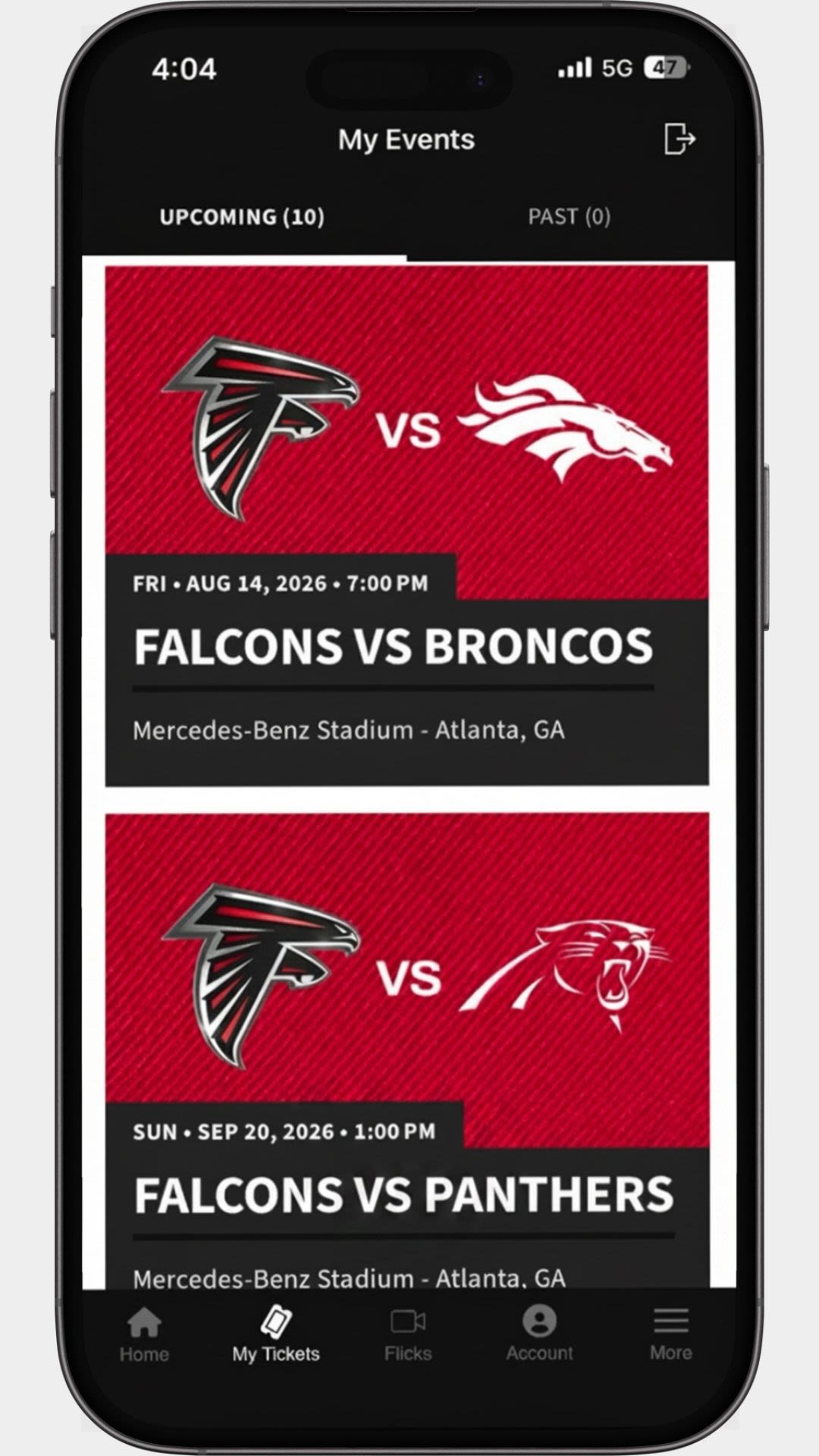
Step 1
Login to your app and select the event you want to donate tickets for.
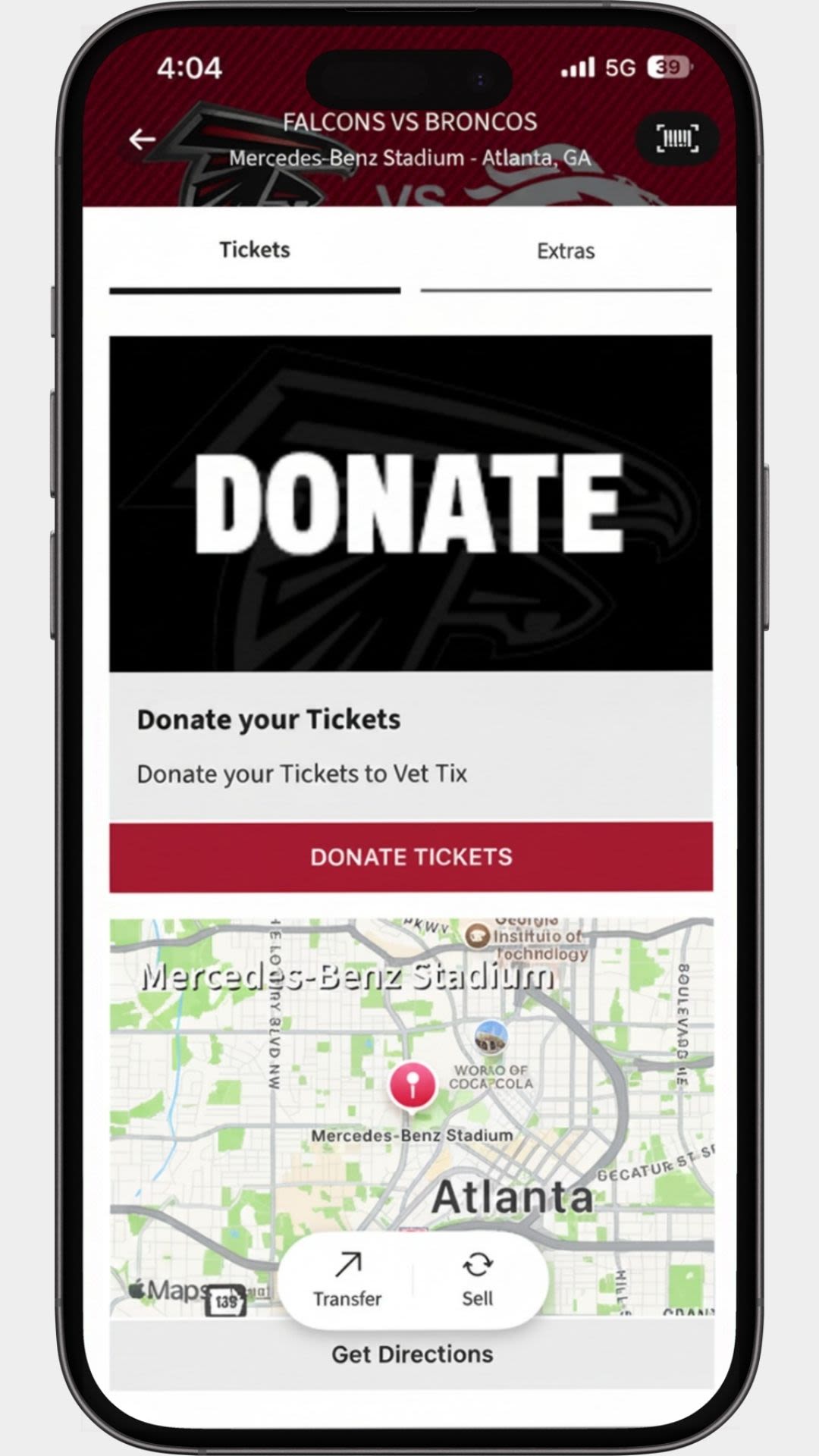
Step 2
Scroll down until you see the "Donate" button and select "Donate tickets".
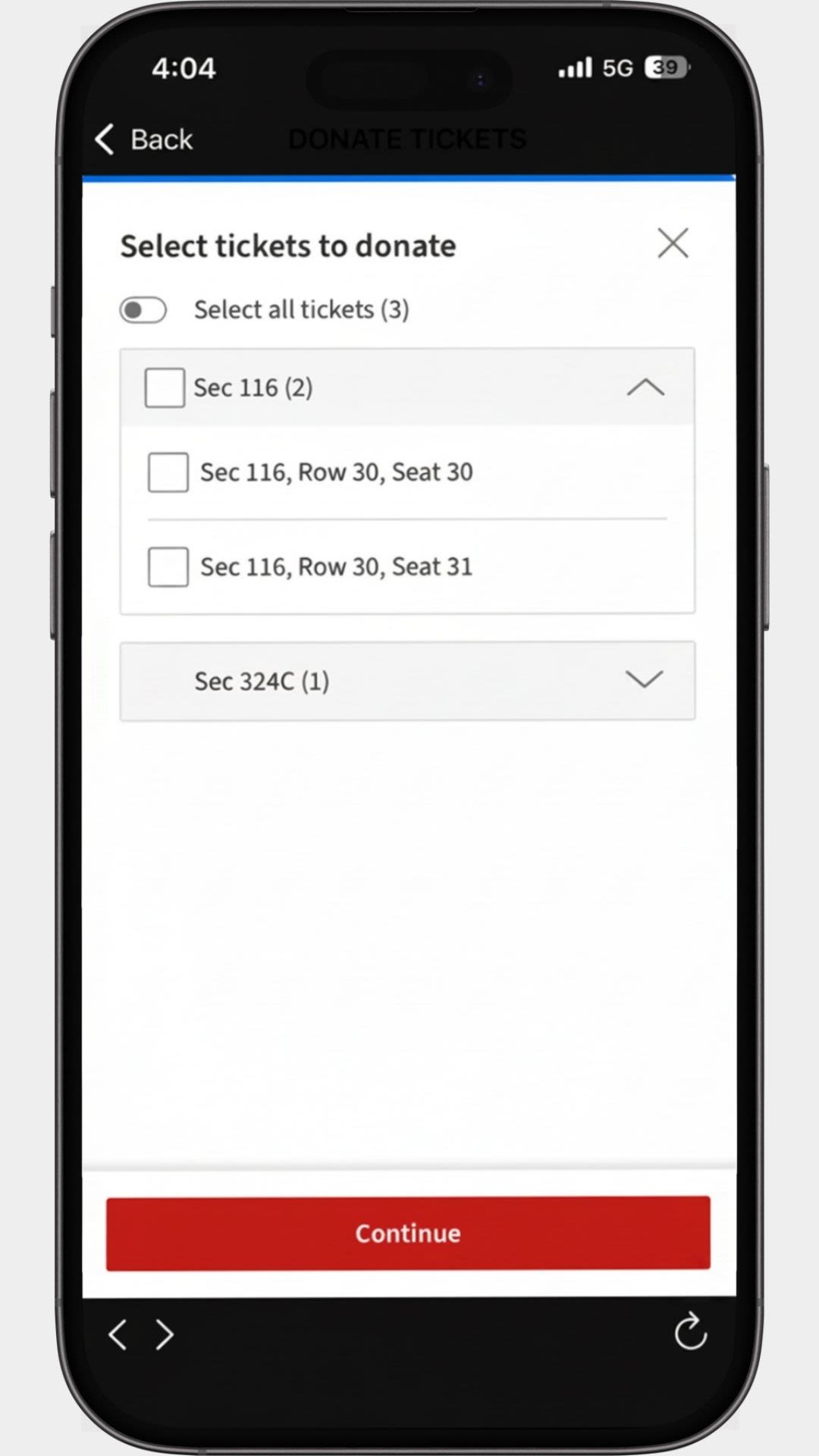
Step 3
Select the tickets you wish to donate.
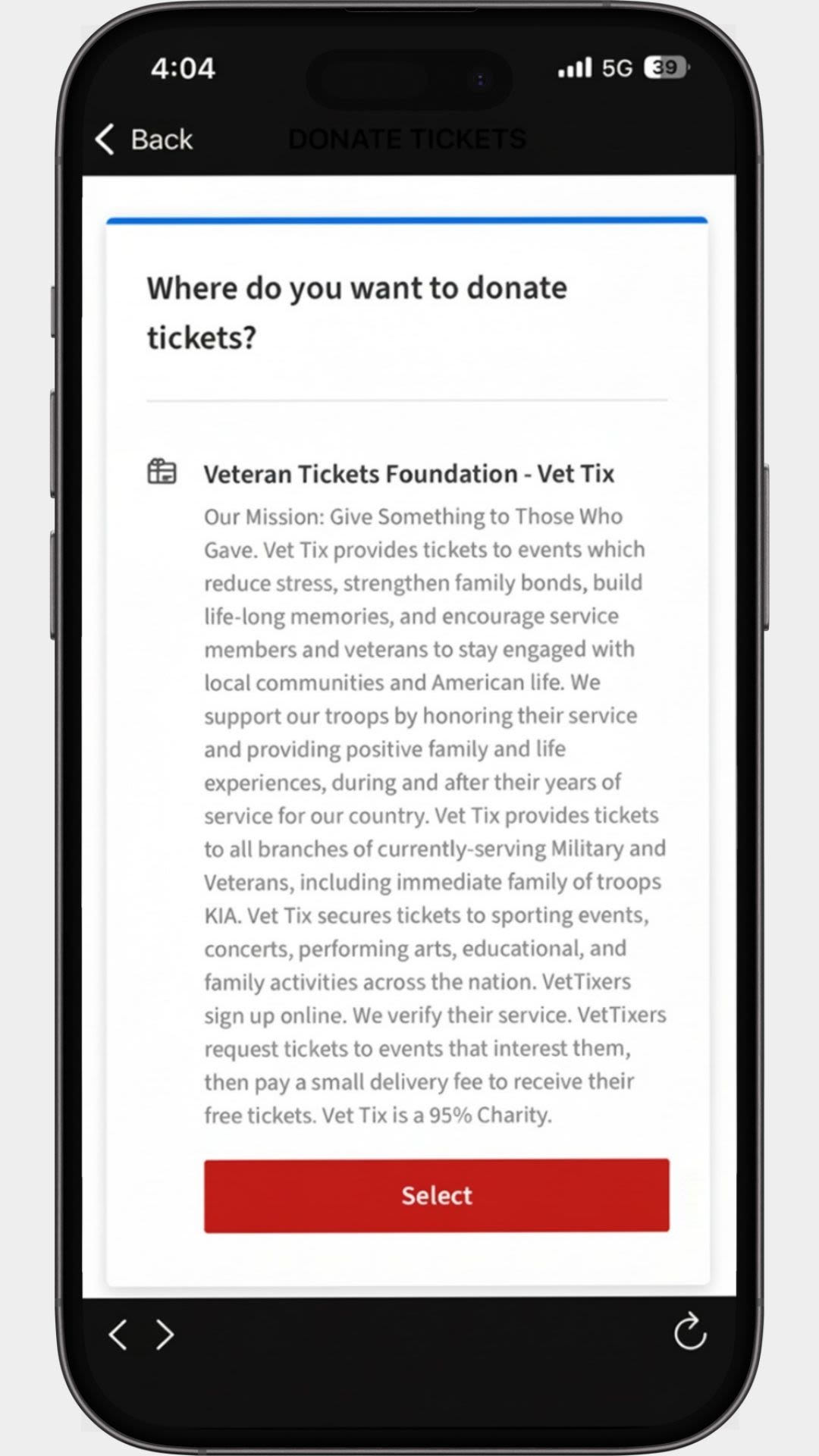
Step 4
Select the organization to donate your tickets to. We only offer one org and that is Vet Tix.
Step 5
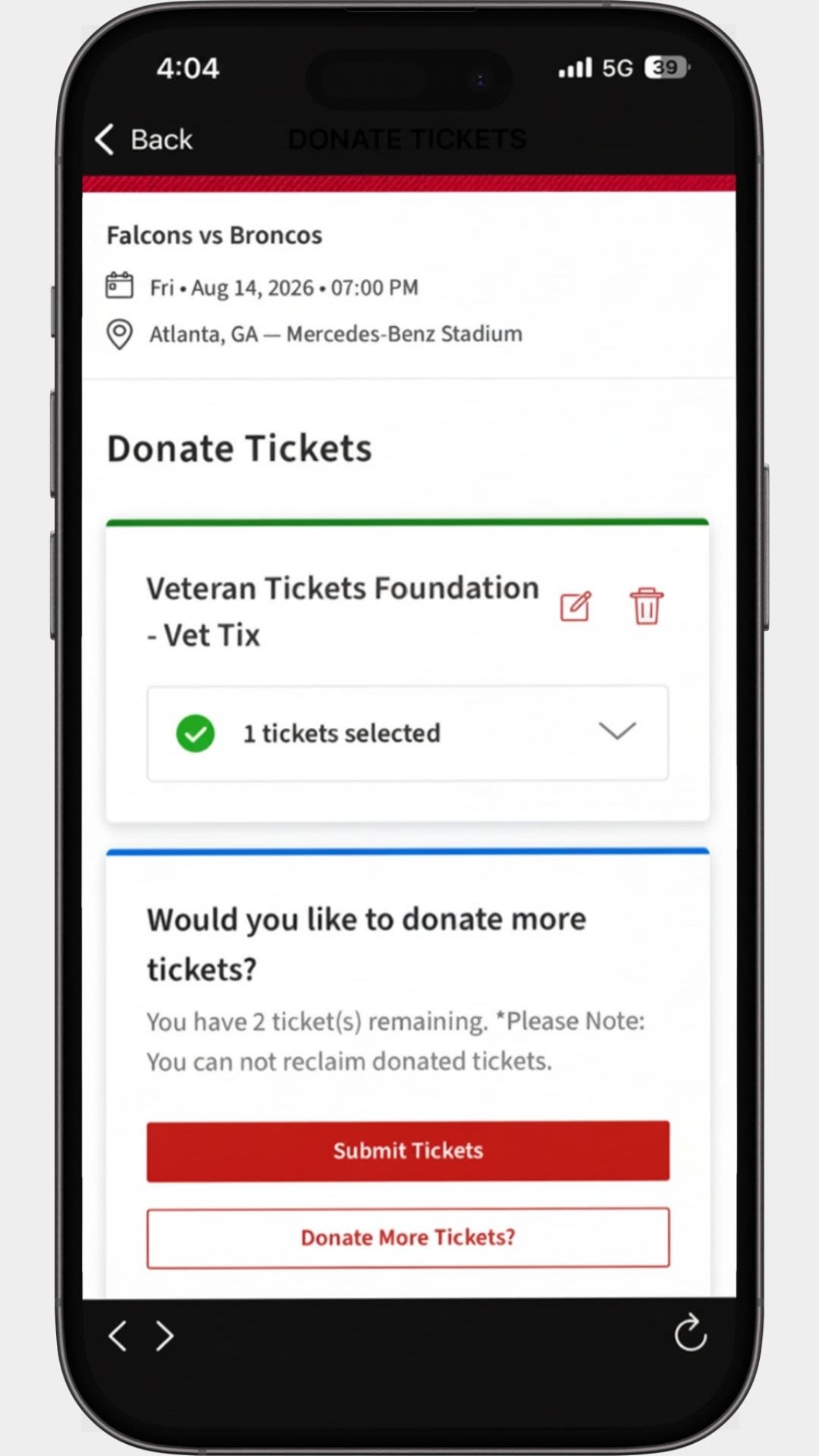
Review and submit your donation. You will soon receive an email confirming your donation.
Step 6
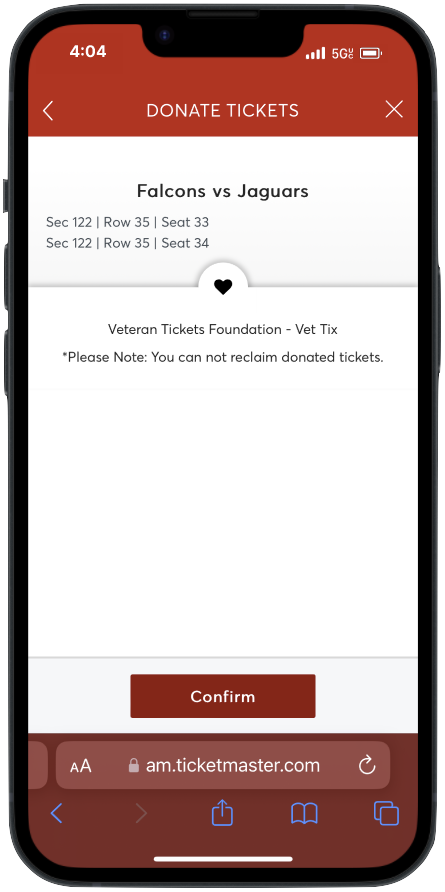
Review that all your information is correct, and then tap "Confirm". You will soon receive an email confirming your donation.
Selling Back Tickets
Step 1
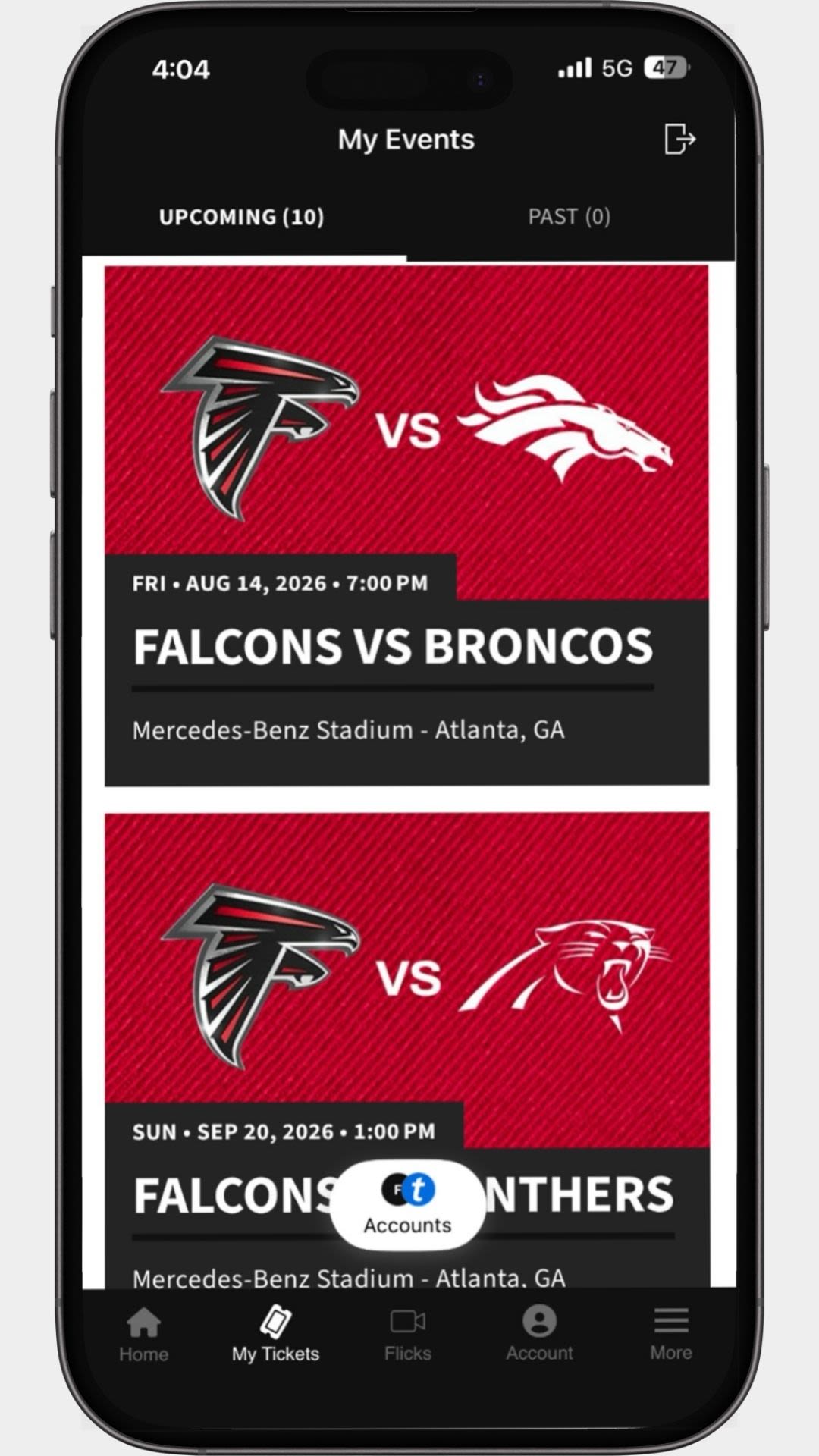
Log in to your Atlanta Falcons Ticket Account Manager and tap on "My Events".
Tap the game you'd like to sell back your tickets for.
Step 2
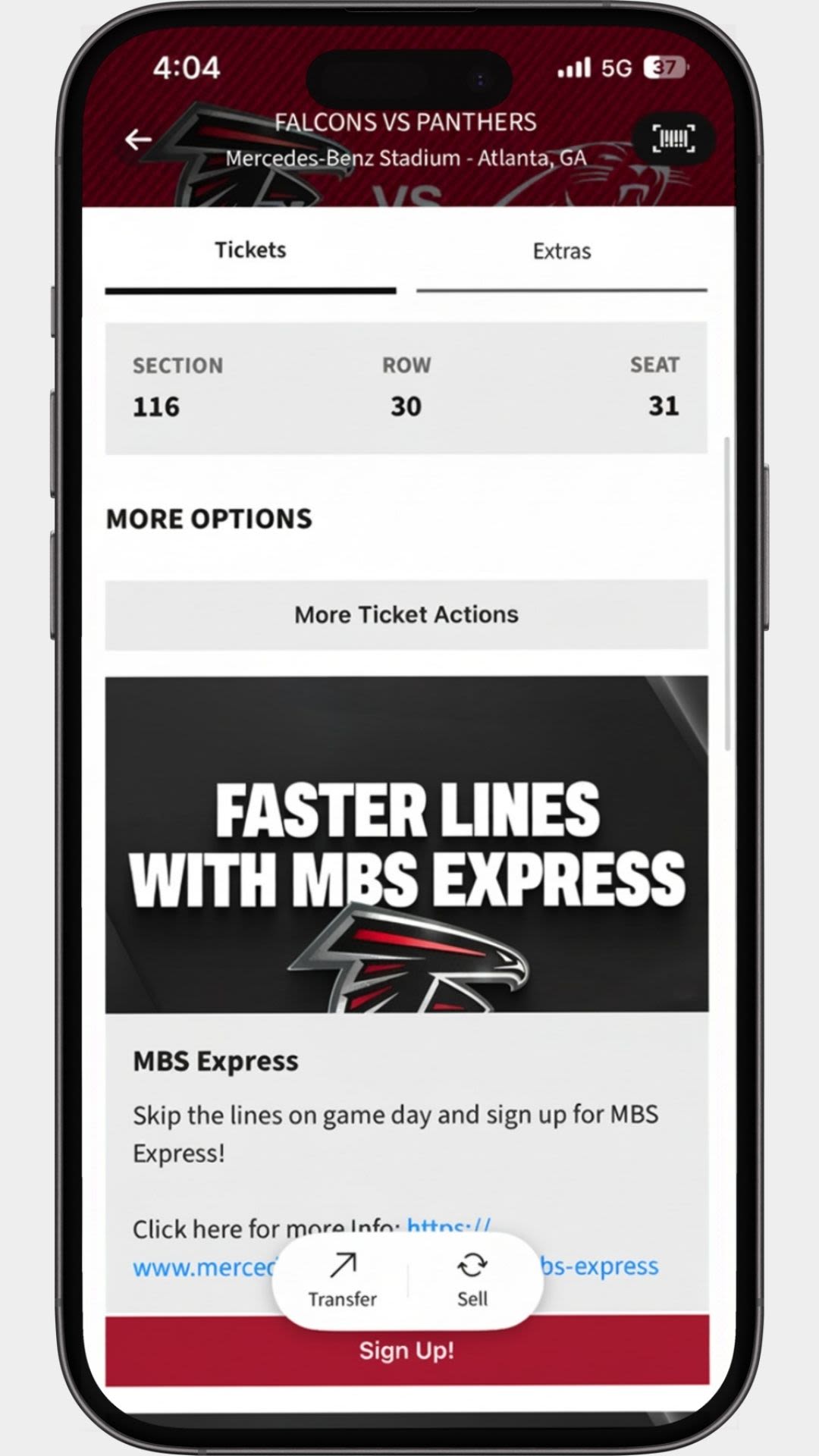
Scroll down after selecting your event and click on "More Ticket Actions".
Step 3
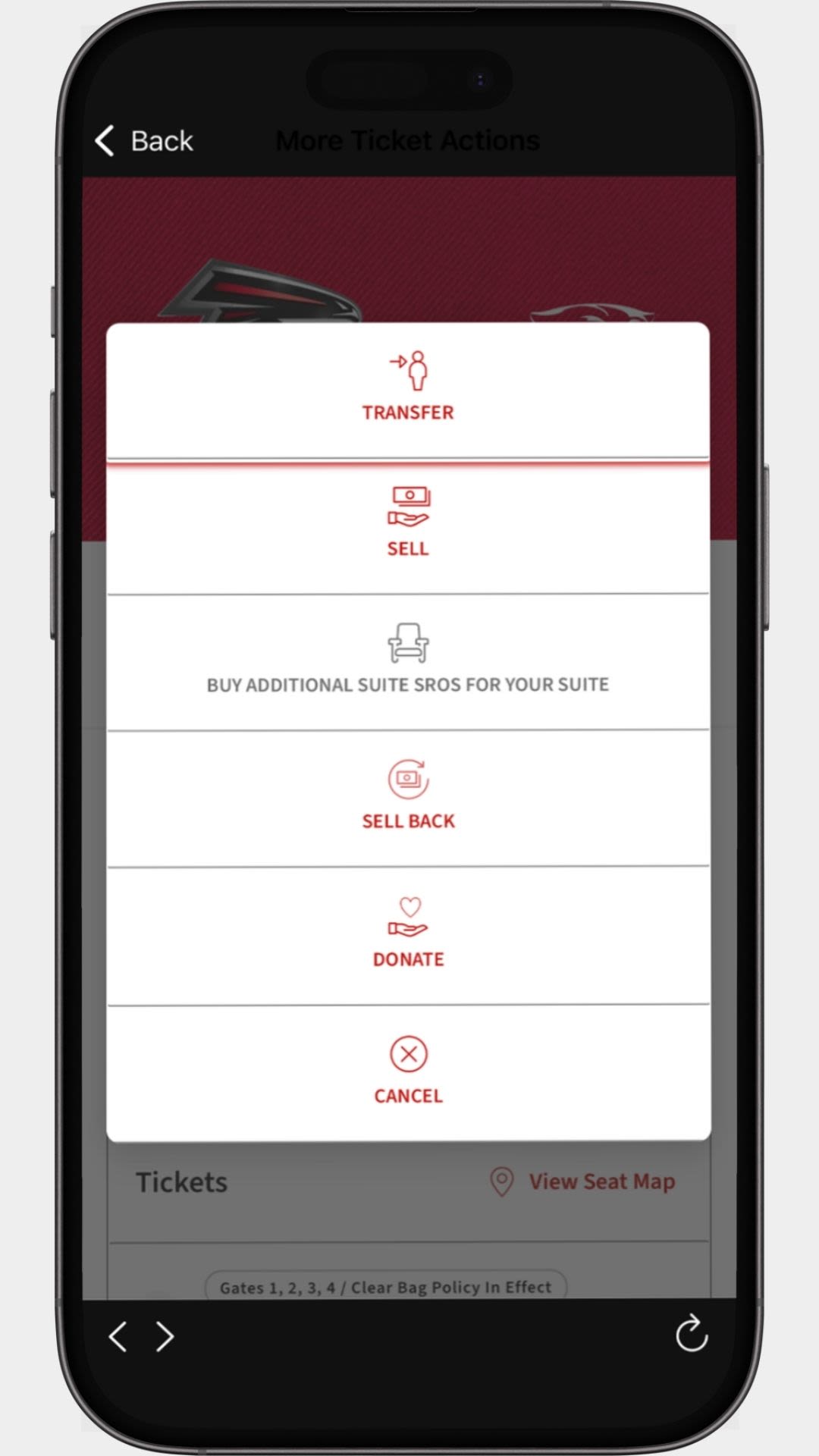
Tap "Sell Back" on the menu.
Step 4
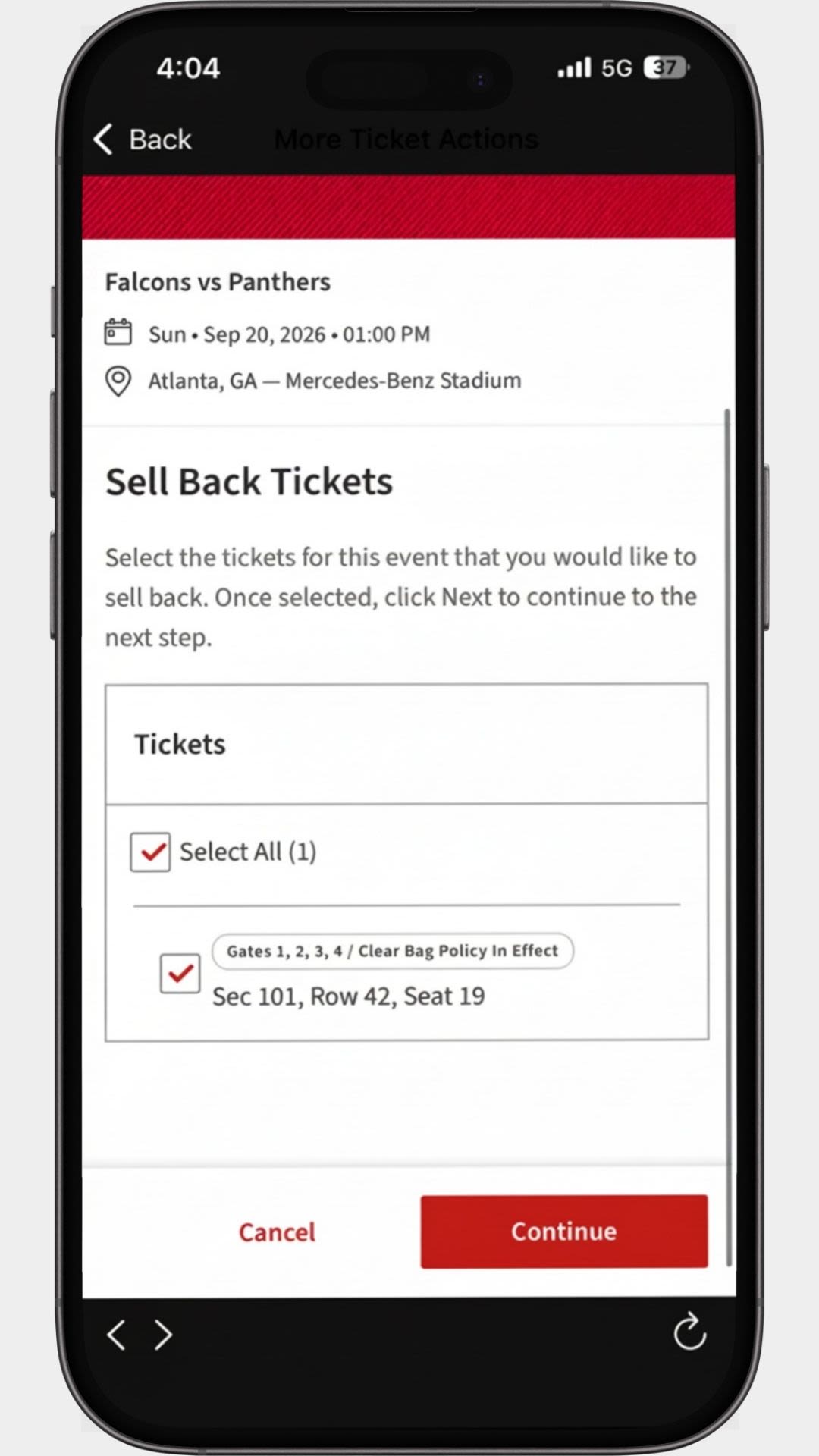
Select the seats you'd like to sell back.
Step 5
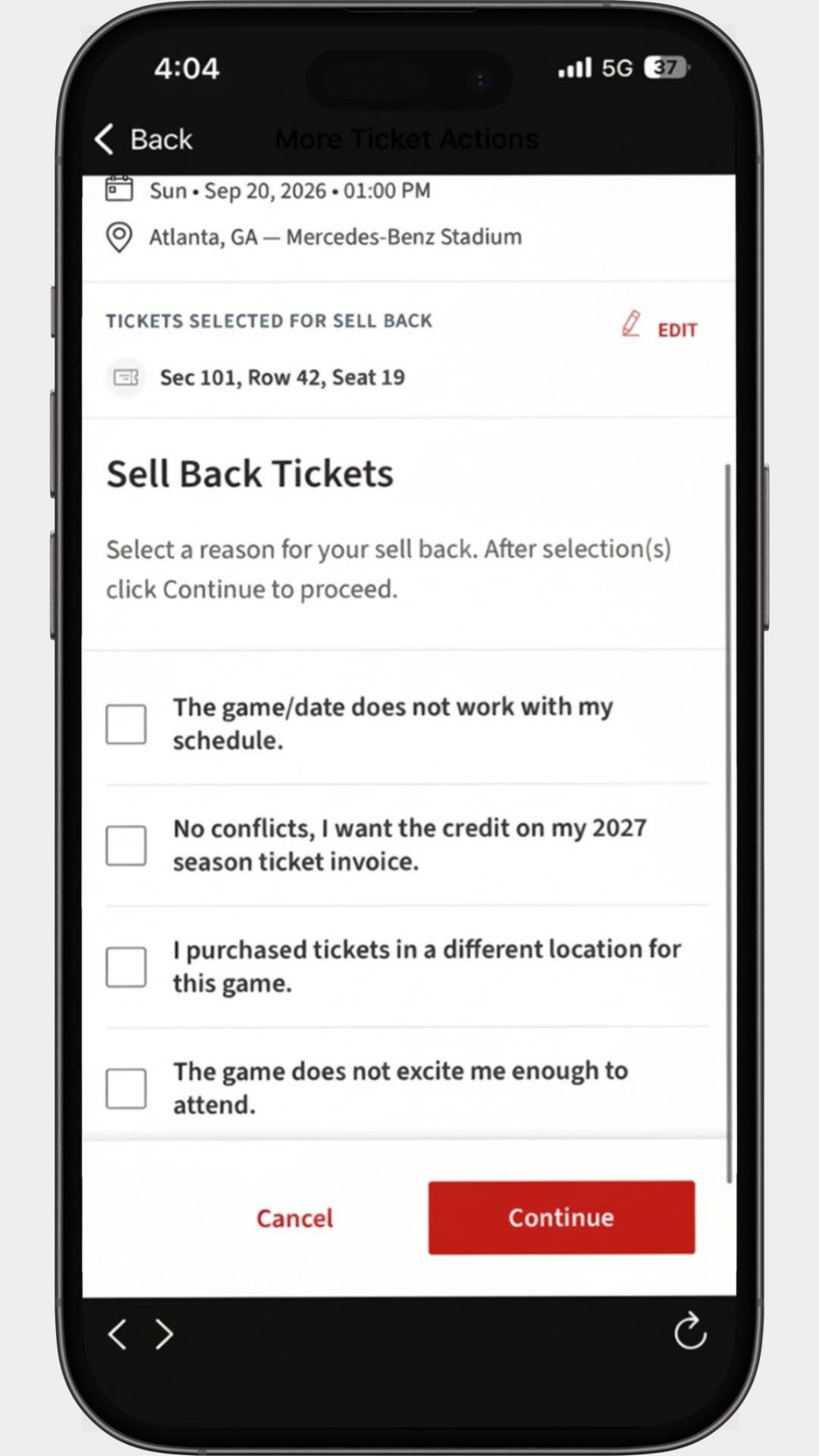
Select your reasons for selling back.
Step 6
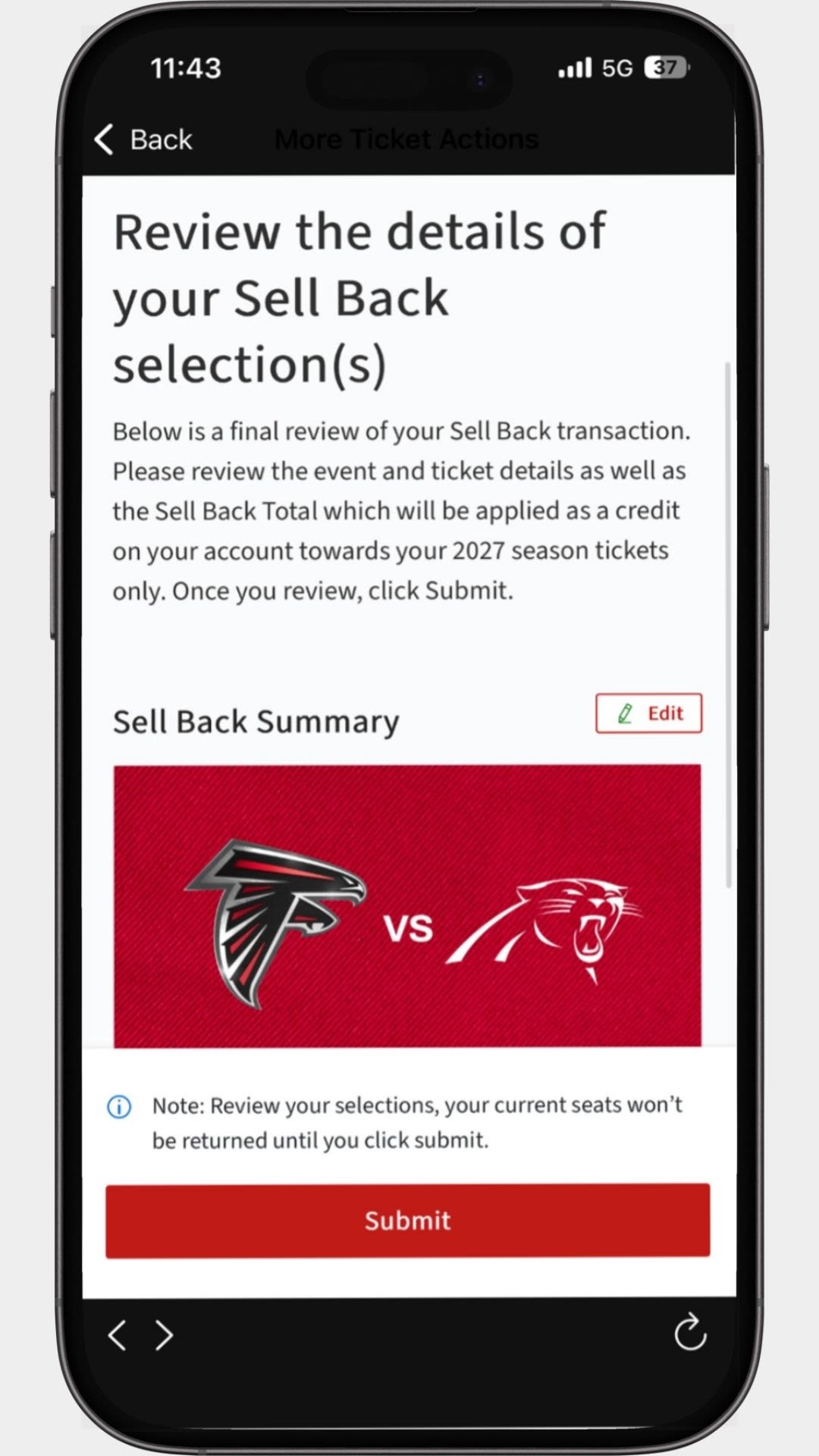
Review that all your information is correct, and then tap "Submit". Selling back tickets is final.
Swapping Your Tickets
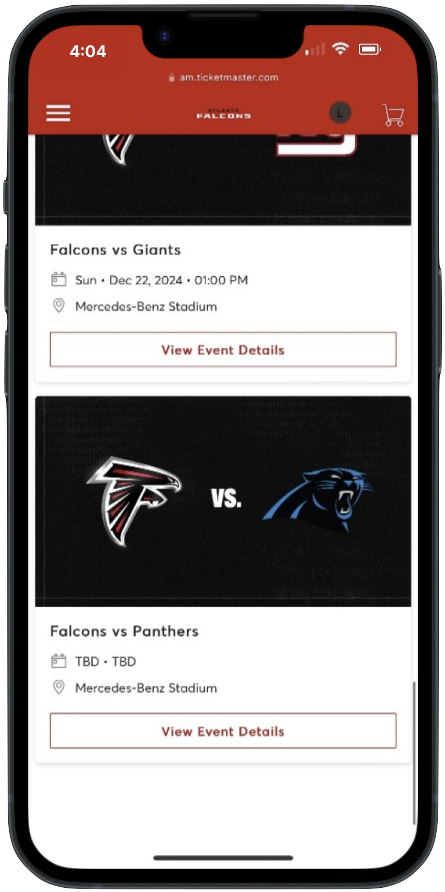
Step 1
Log in to your Atlanta Falcons Ticket Account Manager and tap on "My Events".
Tap "View Event Details" for the game you'd like to swap your tickets for.
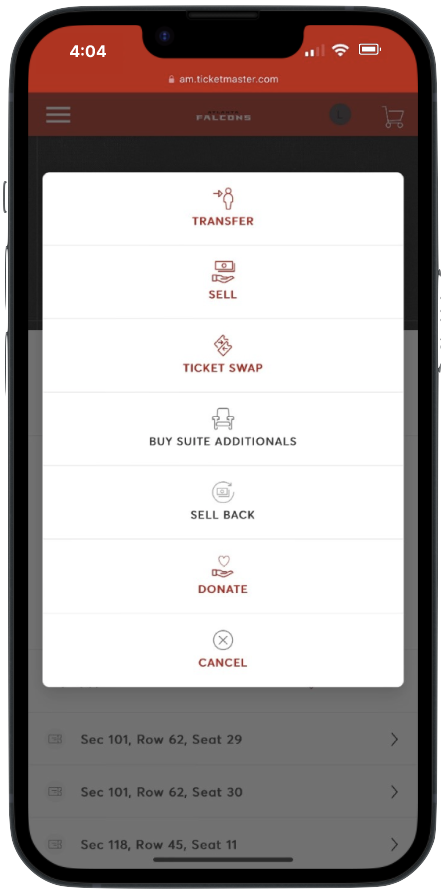
Step 2
Tap on the "More" button on the right side of the page, then tap "Ticket Swap".
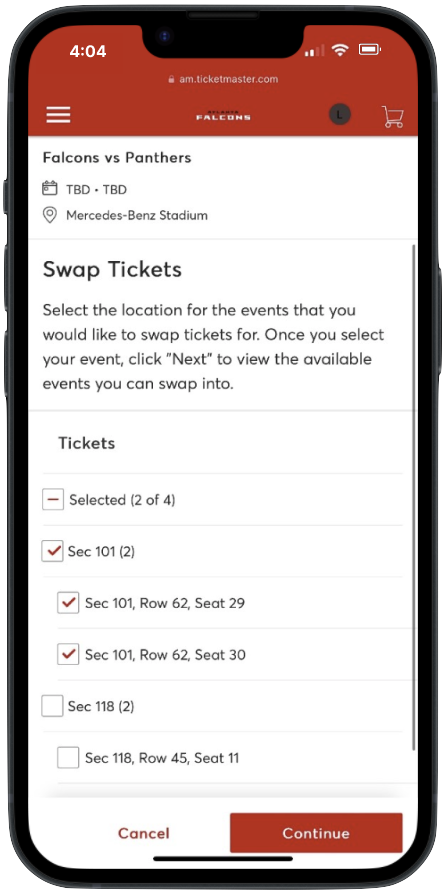
Step 3
Select the seats you'd like to swap out.

Step 4
Select what sections you would like to swap into. Any available seating will show as a green dot.
Select the seating you would like to swap into and tap "Add to Cart."
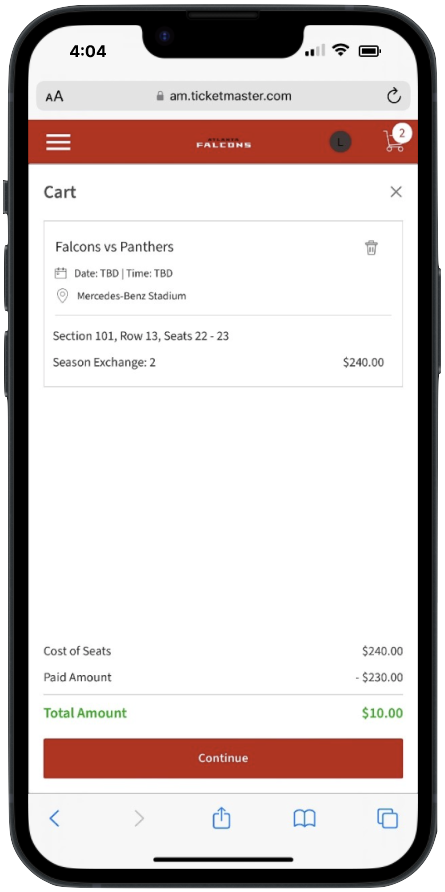
Step 5
The amount paid for your previous ticket and the total amount due for the difference in ticket price (if any) will show in your cart.
Once you've reviewed and confirmed the information, tap "Continue".
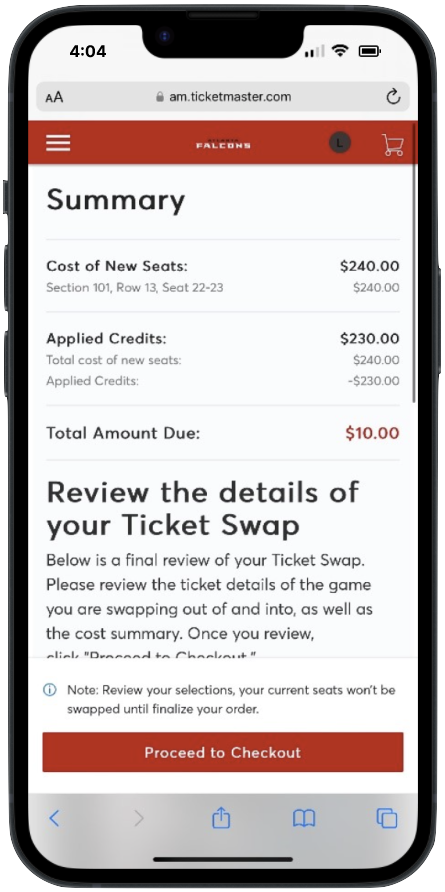
Step 6
Review the cost and seating location of your newly selected seats and tap "Proceed to Checkout".
Once you've completed your transaction, your new tickets will be available in your account manager.